|

|
RSS
Feed Instructions
|
|
|
|
|
| If you are using Internet Explorer,
clicking on the
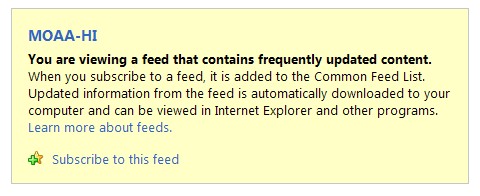
RSS Feed button to the left will give you a screen that looks like
this:
|
|
Click
on the "Subscribe to this feed" link and it will be
added to the Favorites Center which can be accessed by (Alt+C)
or clicking on the star  in the menu bar. in the menu bar. |
|
If you
are using Google or other Feed Readers, you will see a button like
this:

|
|
Click
on the button and paste the Feed Link below into the
appropriate space. |
|
|
http://www.moaa-hawaii.org/tinc?key=a1WfhMkG |
|
|
| |
|
Want
to know more about RSS? Click
here for a brief RSS tutorial and a step by step guide to
using the Google Reader. |
| |
|
|
|
|
|

|
|
| |
|
Back
to Home Page
|
| |
| *********************************************
|
| This page was last updated
on
06/03/17 00:47 |
| If you have any
MOAA-Hawaii chapter questions click: info@moaa-hawaii.org |
|
If you have any web corrections, comments or questions click: admin@moaa-hawaii.org |
| |
| ********************************************* |